
Create an account
Set up your GoodFunds account and your organization in just a few minutes.
This guide walks you through creating your GoodFunds account and setting up your organization. All you need is an email address and a few minutes.
Before you start
Have these ready:
- an email address you can access (ideally an official address of your organization),
- the name of your organization.
You'll create your personal account first, then set up your organization. You can invite the rest of your team later — see Invite your team.
Create your account
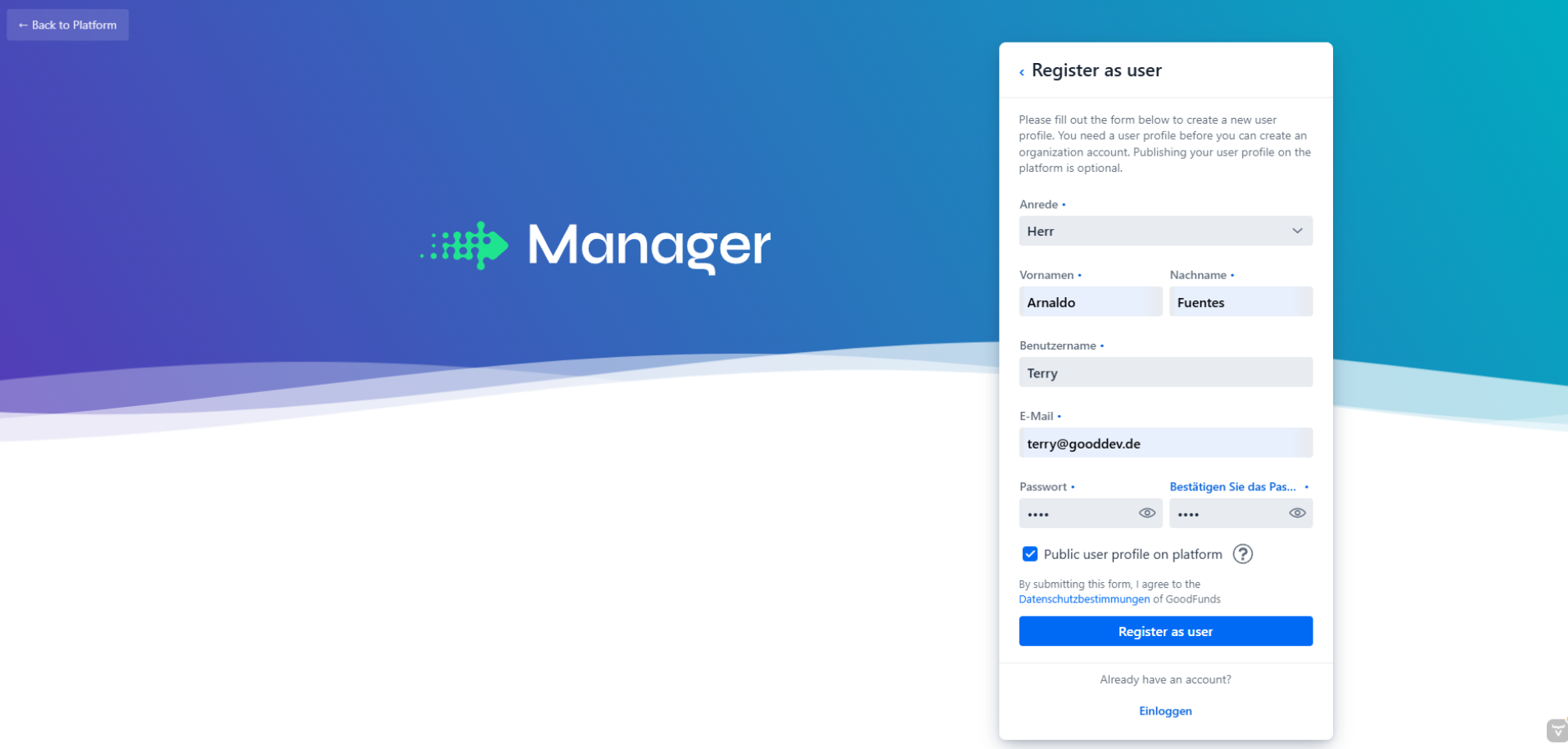
Open the registration page
Go to manager.goodfunds.de and click Create account.
📸 Screenshot to be added.
Enter your details
Enter your name, your email address, and a secure password. Confirm that you've read the terms of use, then click Register.
Choose a password with at least 12 characters that you don't use anywhere else. Even better: turn on two-factor authentication right after your first login.
Confirm your email
We'll send you an email with a confirmation link. Open it and click the link to confirm your address.
No email? Check your spam folder and wait a minute or two. You can request the confirmation again from the login page.
Set up your organization
After your first login we'll ask for your organization's name. Enter it — this is the name your supporters will see later. You can change it anytime in the settings.
You're in — what's next?
You're all set. Your dashboard is the starting point for everything else.
Invite your team
Bring colleagues on board and assign roles.
Create your first campaign
Launch your first donation or petition campaign.
Secure your account
Turn on two-factor authentication.
Frequently asked questions
I registered but can't log in. Check whether you've confirmed your email address. Login is blocked until you do.
Can I manage more than one organization? Yes. Get in touch with support and we'll set up access to additional organizations for you.
I forgot my password. Click Forgot password on the login page and follow the instructions in the email.